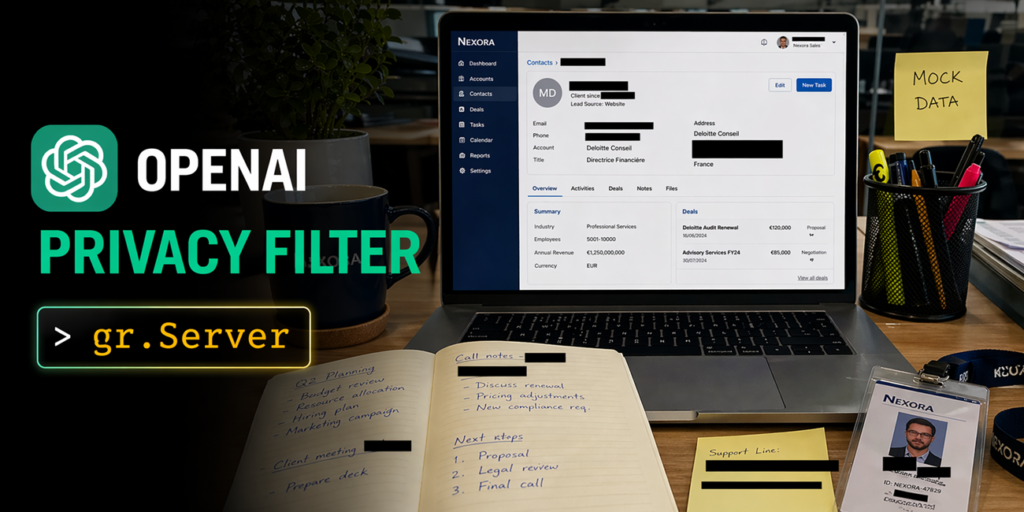

OpenAI dropped Privacy Filter on the Hub this week — an open-source PII detector that labels text across eight categories in a single pass over a 128k context. 50M active parameters out of 1.5B total, Apache 2.0 license. I spent a few hours building with it, and honestly, the model is solid, but the infrastructure around it is what made me sit up.
Let me walk through three apps I put together. Each one shows a different side of what this thing can do.
Document Privacy Explorer
Drop in a PDF or DOCX, get the full document back with every PII span highlighted by category. Sidebar filters, summary dashboard up top. The reading experience feels like a normal document, not a form.
The model handles the whole file in one forward pass — no chunking, no stitching, span offsets line up directly with the rendered text. BIOES decoding keeps boundaries clean even through long ambiguous runs.
What surprised me was how much easier gradio.Server made the frontend. I could have wired this up with gr.HighlightedText and a sidebar, and it would have worked. But the reading experience I wanted (serif body, category filters that toggle CSS classes client-side instead of re-running the model, a dashboard that doesn’t force a page re-render) was cleaner to hand-author. gr.Server lets me serve the reader view as a single HTML file and expose the model behind one queued endpoint:
@server.get("/", response_class=HTMLResponse)
async def homepage():
    return FRONTEND_HTML

@server.api(name="analyze_document")
def analyze_document(file: FileData) -> dict:
    text = extract_text(file["path"])
    source_text, spans = run_privacy_filter(text)
    return {
        "text": source_text,
        "spans": spans,
        "stats": compute_stats(source_text, spans),
    }
The @server.api decorator is the key. It plugs the handler into Gradio’s queue, so concurrent uploads get serialized, @spaces.GPU composes correctly on ZeroGPU, and the same endpoint works from both the browser and gradio_client. No duplicated code.
Image Anonymizer
Upload an image (Slack thread, receipt, Stripe dashboard), get it back with black bars over names, emails, account numbers. You can toggle bars on and off, drag them to reposition, or draw one by hand for anything the model missed. Export at full resolution.
Under the hood: Tesseract runs OCR and returns per-word bounding boxes. The backend reconstructs the full text with a char-offset-to-box map, runs Privacy Filter once over everything, then looks up detected spans against the word map and joins them into pixel rectangles per line.
gr.ImageEditor supports layered annotation and would be a reasonable starting point, but again, custom frontend won. Per-bar category metadata, toggle all bars in a category at once, client-side PNG export at natural resolution with no server round-trip — all cleaner to build on a custom canvas.
@server.api(name="anonymize_screenshot")
def anonymize_screenshot(image: FileData) -> dict:
    img = Image.open(image["path"]).convert("RGB")
    full_text, char_to_box = ocr_image(img)
    spans = run_privacy_filter(full_text)
    boxes = spans_to_pixel_boxes(spans, char_to_box)
    return {
        "image_data_url": pil_to_base64(img),
        "width": img.width,
        "height": img.height,
        "boxes": boxes,
    }
Frontend calls it with client.predict("/anonymize_screenshot", { image: handle_file(file) }) — same pattern as the document explorer. Toggles, drags, new-bar drawing, all client-side.
SmartRedact Paste
This one is my favorite. Paste sensitive text, get a public URL that serves the redacted version. Keep a private reveal link for yourself. Useful for sharing logs, error messages, or customer data without exposing PII.
The model runs once on paste, stores the redacted and original versions. Public endpoint serves the redacted text, private endpoint needs a token. The whole thing is a single gradio.Server with two endpoints and some simple URL routing.
What I Actually Think
The model itself is good — state-of-the-art on the PII-Masking-300k benchmark, 128k context means you can throw whole documents at it, and the eight categories cover what most people need. But what impressed me more was how gradio.Server ties everything together. That @server.api decorator is genuinely useful. It means you can build custom frontends without fighting the framework, and the queueing, GPU allocation, and client SDK all just work.
I’ve seen too many “open-source” releases that are just model weights and a README. This one comes with a real deployment story. That matters more than most people admit.
Comments (0)
Login Log in to comment.
Be the first to comment!