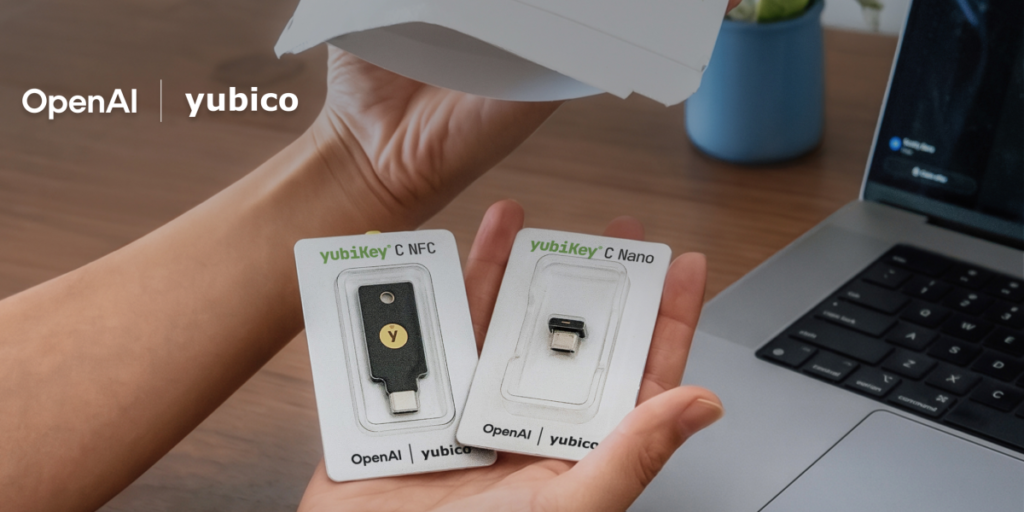

OpenAI is rolling out an optional security upgrade for ChatGPT accounts, and it’s one I’ve been hoping to see for a while: hardware security key support. The company announced a partnership with Yubico, the folks behind those little USB or NFC keys that have been the gold standard for two-factor authentication (2FA) for years.
This is opt-in, so you won’t be forced to use it. But if you’re the type who stores sensitive conversations, API keys, or even just doesn’t want your account hijacked by a phishing attack, this is a meaningful step forward.
For context, ChatGPT has supported standard 2FA via authenticator apps or SMS for a while. But SMS codes are notoriously weak — SIM swapping attacks are still a thing, and SMS-based 2FA can be intercepted. Authenticator apps are better, but they’re still vulnerable to phishing if you’re not careful. Hardware keys, on the other hand, are phishing-resistant by design. They use FIDO2 and WebAuthn protocols, which means the key only responds to the legitimate site, not a fake login page.
The Yubico integration means you can now use a YubiKey — either the USB-A, USB-C, or NFC variants — as your primary or secondary 2FA method. The setup process is straightforward: you go into your ChatGPT account settings, enable the feature, and follow the prompts to register your key. No app needed, no codes to type. Just plug it in or tap it, and you’re authenticated.
This is higher than I expected for a consumer-facing AI service. Most companies reserve hardware key support for enterprise plans or admin accounts. OpenAI is making it available to all users, at least for now. That’s a good sign, though I’d like to see it become mandatory for accounts with API access or paid subscriptions.
One thing that’s worth noting: this is an opt-in feature. If you don’t enable it, nothing changes. But if you do, you’re adding a layer of security that’s significantly harder to bypass than anything software-based. The downside is that you need to buy a physical key — YubiKeys start around $25–$50 depending on the model. That’s a small price for peace of mind if you rely on ChatGPT for work or sensitive data.
I’ve been using a YubiKey for my personal accounts for years, and I can tell you the biggest friction is losing it. If you lose your key and don’t have a backup, you’re locked out. OpenAI recommends registering multiple keys, which is smart. You can also keep an authenticator app as a fallback.
The timing makes sense. With ChatGPT being used for everything from drafting emails to analyzing business documents, account security is no longer an afterthought. We’ve seen high-profile account takeovers in the AI space before — not at OpenAI specifically, but the risk is real. Phishing campaigns targeting ChatGPT users have been documented, and they’re only getting more sophisticated.
I wish OpenAI had done this sooner, but better late than never. The Yubico partnership is a solid choice — YubiKeys are well-tested and widely supported. If you’re serious about your ChatGPT account, go enable this today. It takes five minutes and could save you a world of trouble.
One final thought: I’d love to see OpenAI take this further by supporting WebAuthn on mobile devices more natively. Right now, the NFC YubiKey works with iPhones and Android phones, but the experience isn’t as seamless as on desktop. Still, this is a big improvement over where we were a year ago.
If you’re curious, the feature is rolling out now. Check your account settings under Security. If you don’t see it yet, give it a few days.
Comments (0)
Login Log in to comment.
Be the first to comment!